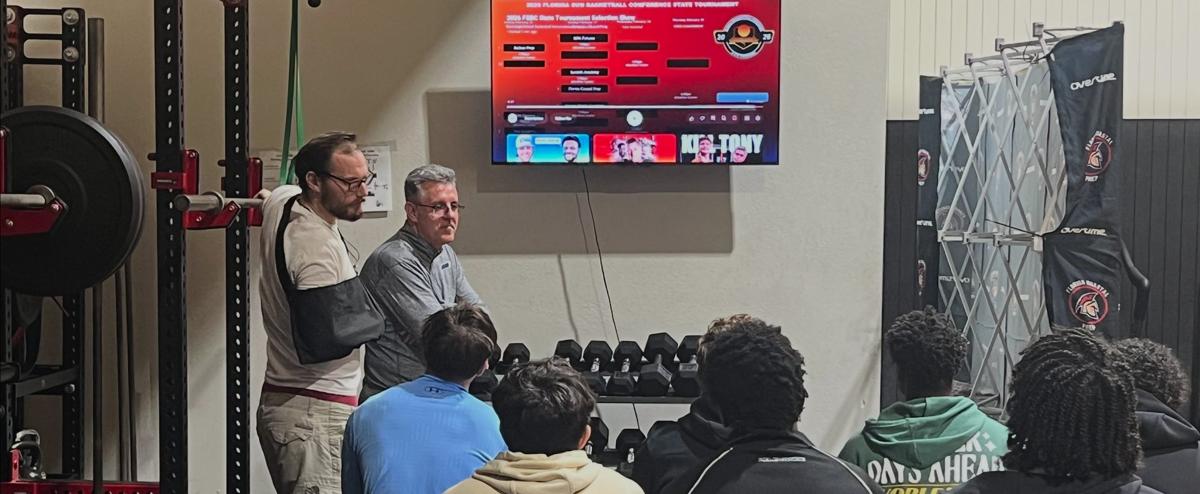
Florida Coastal Prep players and coaches reviewing game film at the training center

Free recruiting tool

How to Make a Basketball Highlight Video: Recruiting Film Checklist

Use this free basketball highlight video checklist to plan game film, edit a 2–4 minute recruiting reel, and share Hudl or YouTube links coaches can open on any device.

Updated Nov 9, 2026

This checklist helps you organize film for college coaches. It is not a guarantee of interest, playing time, or scholarships.

Coaching guidance only — not NCAA or NAIA rules.

Phase 1

Before filming

0 of 0 complete

Phase 2

Editing your highlight

0 of 0 complete

Phase 3

Full-game film

0 of 0 complete

Phase 4

Sharing with coaches

0 of 0 complete

Next step

When your film is organized, build your introduction email and send it from your own inbox.

Open basketball recruiting email template →

How long should a basketball highlight video be?

Most college coaches want a basketball highlight reel between two and four minutes for a first look. That is enough time to show repeated role plays without asking staff to sit through a mixtape.

Keep your basketball recruiting video short enough that a coordinator can watch it between meetings. If you need more context, link full-game film separately instead of stretching one highlight video past five minutes.

What to include in a basketball highlight video

Your basketball highlight video should open with a title slide: name, graduation year, position, verified height if you list it, and a contact line your family approves.

  • Lead with plays that match your position — rim protection for posts, spacing and reads for guards, communication on ball screens.
  • Use identifiable game minutes, not only music montages from practice.
  • Show defense and effort plays, not only scoring.
  • Skip long intros, excessive effects, or clips coaches cannot tie to a real opponent.

Highlight reel vs full-game basketball film

A basketball highlight reel gets you noticed. Full-game basketball recruiting video answers whether you can do the same things for thirty minutes against live defense.

Send the highlight link first in your email, then mention where coaches can find full games if they want to dig deeper.

Hudl, YouTube, and hosting basketball recruiting video

Hudl remains common for high school and club film. An unlisted or public YouTube link also works when it plays without a login on a phone.

Avoid Dropbox folders, text-message clips, or links that expire mid-season. Test every basketball recruiting video link in a private browser window before you email it.

Filming basketball highlights on a phone

A modern phone is fine if the angle is wide and stable. Sideline or baseline views beat filming from directly behind one bench.

Use a tripod or lean the phone on a stable surface. Horizontal orientation matches how most coaches watch film on a laptop.

Frequently asked questions

How long should a basketball highlight video be for recruiting?

Aim for two to four minutes. That length is enough for coaches to see your role plays without sitting through a long mixtape.

What should I put in a basketball highlight video?

Start with a title slide, then your best game clips that match your position. Include defense, spacing, and decision-making — not only dunks or highlights from practice.

Should I send a highlight reel or full games?

Send both when you can. Lead with the short highlight video and keep at least two full games available for coaches who want to study sustained play.

Is Hudl or YouTube better for basketball recruiting video?

Either works if the link plays without a login. Hudl is common for school and club teams. YouTube is fine when the link is stable and easy to open on mobile.

Can I film basketball highlights with my phone?

Yes. Use a wide angle, stable setup, and good lighting. Name files clearly and back up video so you do not lose a season on one device.

Does this checklist save my progress?

Checked steps save in this browser on this device only. They are not synced and FCP does not receive your checklist.

Connect With Our Team

Ready to take the next step? Fill out the form below and a member of our coaching staff will reach out to you.